
Wanting to be a real player in the SVOD industry, it was pertinent that MotorTrend begin to focus on providing premium experiences across all platforms. Adhering to CTV platform guidelines, following industry standards, and updating our platform default templates to branded premium experiences, we were confident in our goals to become a premium player in the industry.
Project Services
- Platform Research
- Competitive Analysis
- UX & Customer Journeys
- UI & Reusable Component Design
- Prototyping
- QA Testing
The Problem, and Our Goals
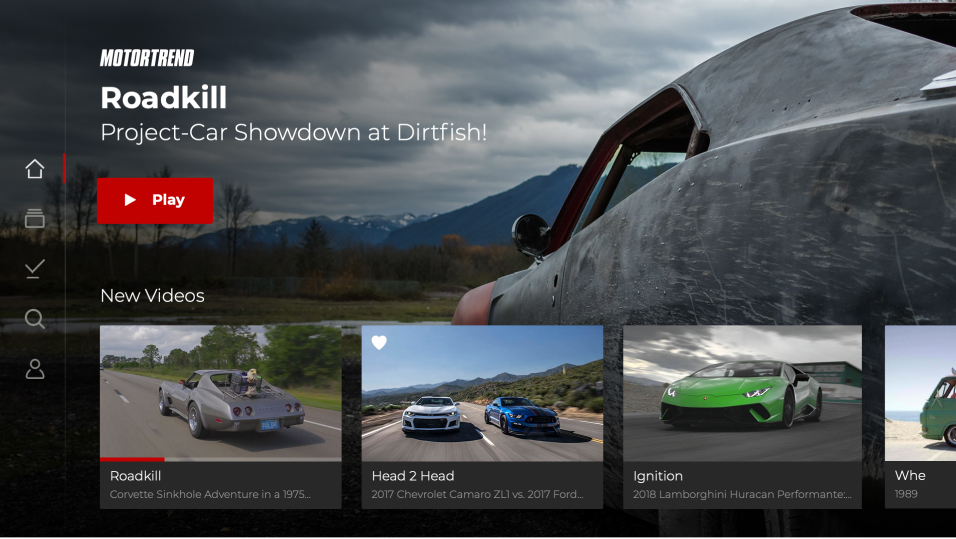
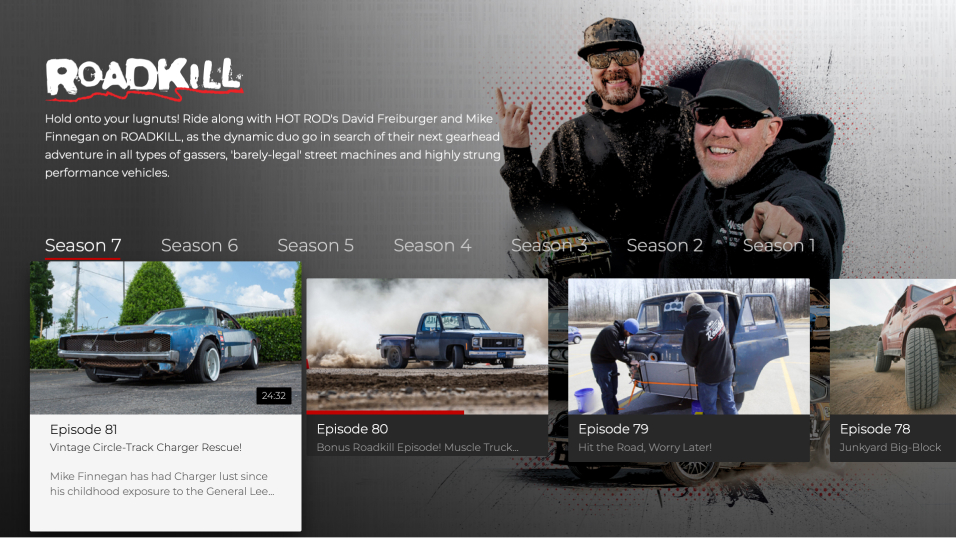
With default CTV templates in place to get our apps up and running, users were left with limited functionality, and an experience with no personality or brand alignment. Features from one platform to the other did not align, and users were left unimpressed.
General sentiment views the user interface as basic and lagging behind the industry leaders in a premium experience. My role was to bring MotorTrend tv apps to life! We wanted our product to be modern, worth the subscription cost, and be a delightful lean back experience every time the app is opened. Our goal was to increase the average app rating from 2.5 to 3.5. Six months after release, and with the help of our Customer Care team, reaching out to previously disgruntled users, our rating had increased to 3.8!
Understanding the Platforms
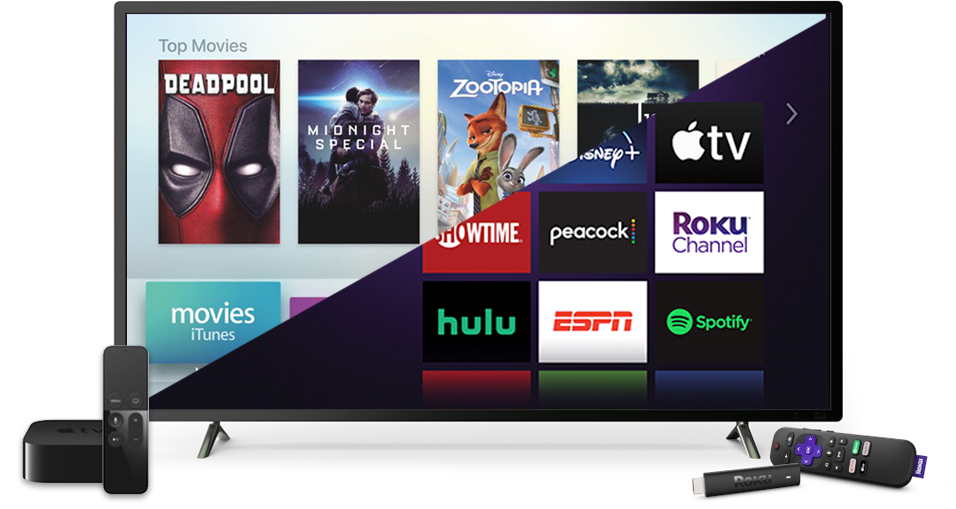
Apple TV and Roku were our first two platforms of interest to work on. I started with reading through Apple’s Human Interface Guidelines and Roku Developer documentation for a better understanding of the platform experiences.
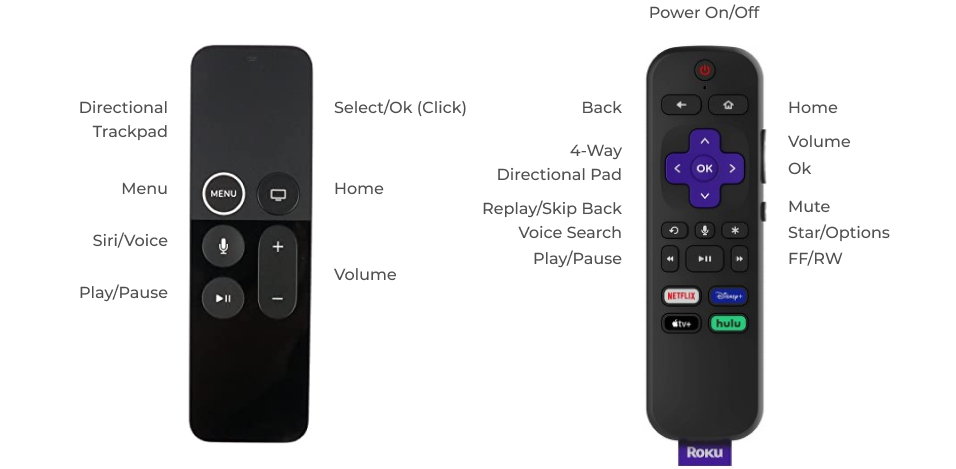
One thing I made sure to get a good grasp of was the remote control. Both the physical remote, and the mobile app remote a user can download. This is the tool one uses to navigate and interact with your experience. With different buttons and gestures associated with each remote, the Apple TV and Roku experiences had to reflect remote specific controls. For example, saving content for later, on the Apple TV remote, we were able to implement a long press on the keypad to initiate the save. On Roku, the remote had a star/options button in which we used for saving content.
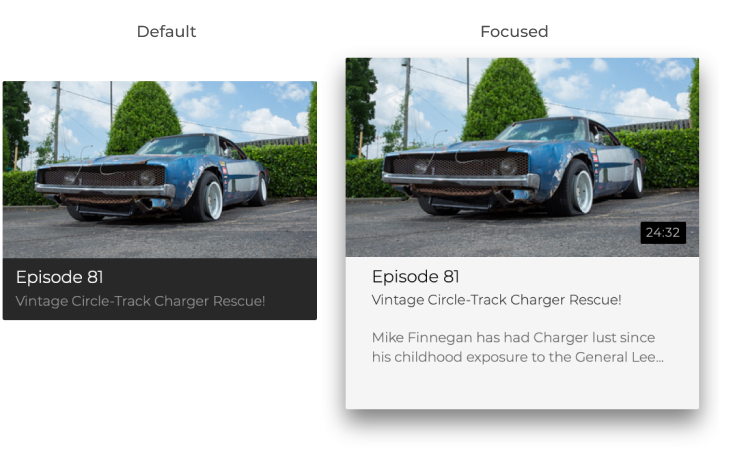
Focus states for elements such as buttons, icons, and content modules were also an important factor to understanding the platforms. An element is considered to be in focus when it’s the currently highlighted element. Focus state effects work to maintain a connection with people sitting on the couch. They provide a sense of clarity and context, reinforcing what’s in focus.
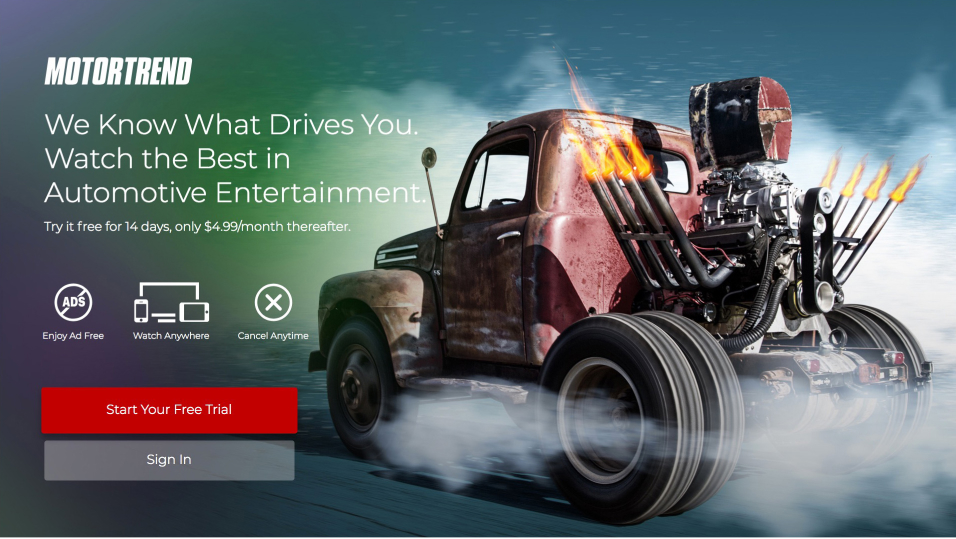
Lastly, for a better understanding of the platforms was to use them! I reviewed multiple apps; creating accounts, navigating key journeys, and understanding video player controls for each. This research wasn’t just about how the apps worked or how they looked, but what features they were using as well.

User Interface



In Conclusion
Adhering to CTV best practices and creating a design system of reusable components, we were able to deliver a TV app experience that our users were pleased with. We provided familiar patterns, reduced cognitive load, and delivered the features they needed for their daily content indulgence. It may not have had all the bells and whistles the app now has today, but the foundation had been laid for MotorTrend to be that major player in the SVOD world, and most importantly, our users were pleased with their new experience.